







Aggregated conversations
Start with aggregated conversations and organize frequently used projects according to your actual work needs.
 Welcome to SKYSCRM
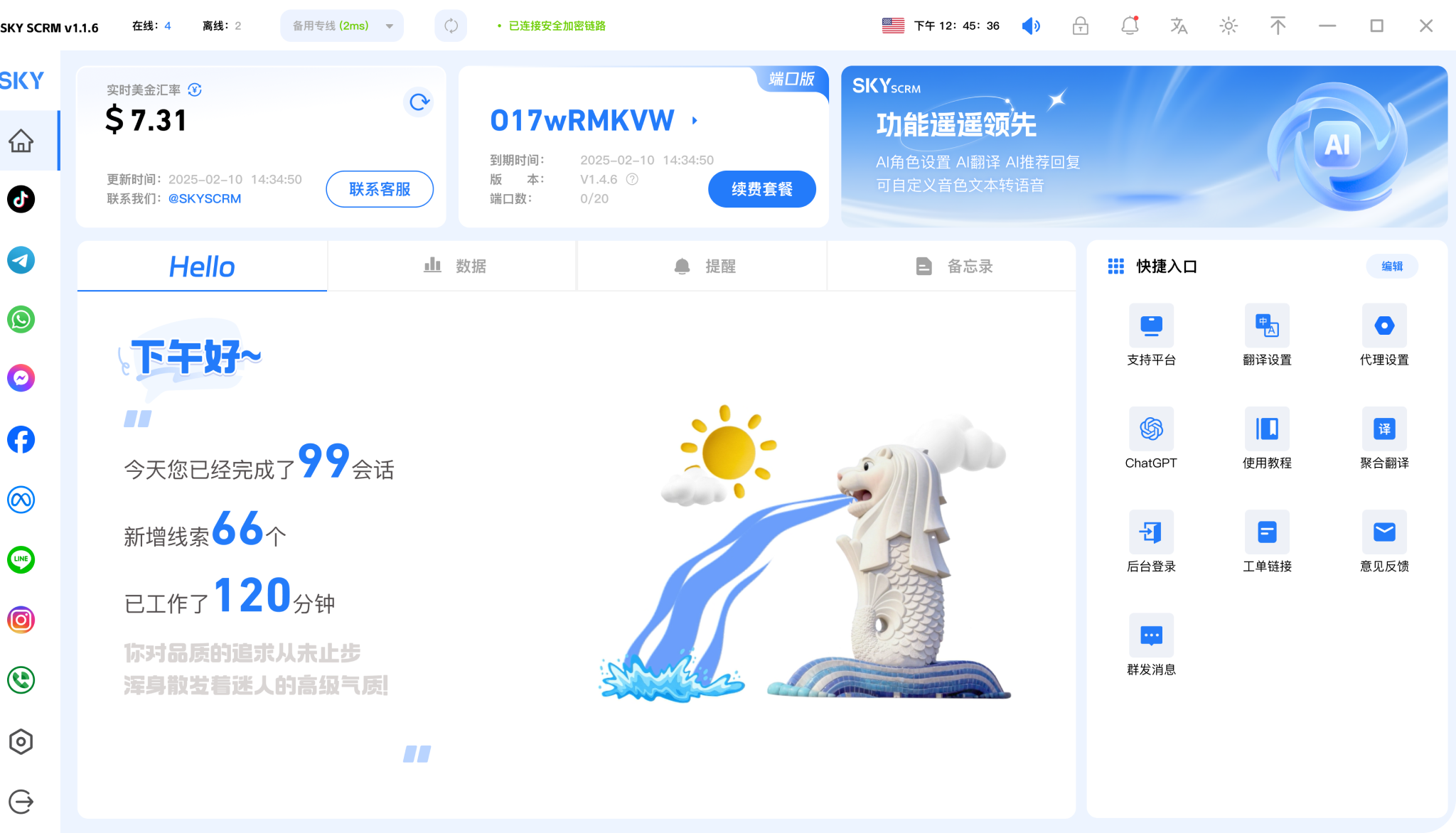

Secure multi-instance access to 15+ mainstream global social media platforms, creating an efficient communication model

Multi-dimensional customer service quality monitoring with real-time alerts to avoid potential risks

Automated marketing methods reduce manual operations and increase efficiency by 80%

Multiple accounts on global social media platforms online simultaneously, efficiently managing social media matrix accounts

Start with aggregated conversations and organize frequently used projects according to your actual work needs.

Combine language assistance with customer leads to keep daily operations clearly organized.

Use team collaboration in a familiar interface and adjust your own settings as needed.











View options related to aggregated conversations and confirm device and version information before you start using it.
🗯️Free trial


Place frequently used features where they are easy to find, reducing repeated searching and switching.
🗯️Free trial


Keep useful information around language assistance so it is convenient to continue processing next time.
Try it now







Organize social conversations, language assistance, and customer follow-ups in a unified workspace.
Start with aggregated conversations and organize frequently used projects according to your actual work needs.
Combine language assistance with customer leads to keep daily operations clearly organized.
Use team collaboration in a familiar interface and adjust your own settings as needed.
View options related to aggregated conversations and confirm device and version information before you start using it.
Select the device system in the download center and view the corresponding version name.
Open the installation file and complete the setup by following the installation prompts on your device.
Choose the client that corresponds to your device.
View All Download Versions →From reading foreign-language materials to handling multilingual conversations, SKYSCRM Translation helps you quickly understand content and organize your expression in common scenarios, reducing the interruptions caused by switching between tools.
When browsing foreign-language web pages, documents, or messages, you can quickly get Chinese explanations to help you grasp the key points and keep reading, reducing the interruptions of frequent dictionary lookups.
When dealing with cross-language chats or meeting notes, you can organize your expression based on context, making the translation closer to the real tone and making it easier to confirm information and continue communicating.
When handling multiple pieces of foreign-language material, you can translate and compare them paragraph by paragraph, making it easier to extract key points and organize notes, so subsequent archiving and sharing are more effortless.
It is suitable for scenarios such as reading foreign-language news, checking product instructions, handling cross-language messages, and organizing study materials. You can translate a single passage as needed or process multiple passages in succession, helping you understand faster and continue with what you are doing.
Usually, you only need to open the page on a commonly used device to start using it. It is recommended to first make sure the network connection is working properly, then choose to enter or paste text according to the current task. The translation results will be presented in an easy-to-read way, making it convenient for you to compare and revise.